
A probably unachievable project: recovering some UX assets from a Microsoft Kids software that I was (and still am) obsessed with: Creative Writer.
I’ve recently found out that a few years ago Microsoft released the source code of 3D Movie Maker and I started peeking around. There’s still a very active 3DMM community and they reverse-engineered a lot of stuff, and I was wondering if maybe this could help me in recovering those assets. I thought they may be sharing the same engine since the first version of Creative Writer I’d like to work on was released in 1994 and 3DMM followed in 1995 (but development started in 1993).
The software is super tiny, it came on 4 floppies and it takes up 8MB installed on disk, just a bunch of files… like 8 files. The assets (like icons, backgrounds, UX objects) must be in those files. I opened one of them in an hex editor:
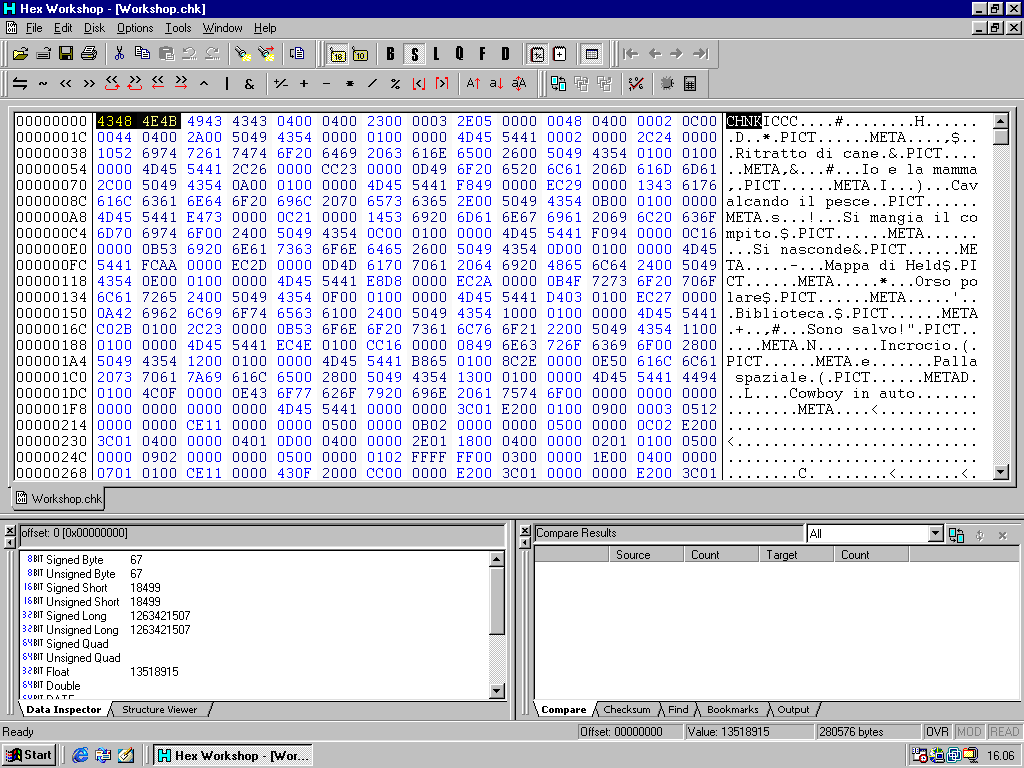
I can literally see the content in this .chk “chunky” file, it’s there, I can see the .PICT too. What now?
On 3dmm.com I found a little tool called Chunk Extractor. My original idea was to use an old operating system to do all of this (Windows 98 SE) but all these tools require a more modern operating system (I also tried on XP but still a no). I run it on Windows 10 but unfortunately the file has a slightly different format from the one used in 3DMM and the software complains and throws an error.
I tried another tool, pymaginopolis, a collection of tools for reverse engineering 3DMM. The README states that it can disassemble Creative Writer 2 chunks too so I tried.
To setup the environment clone the repo and run this:
python -m pip install setuptoolsthen from the repo root dir:
python -m pip install -e . The repo was last updated in 2021 and I needed to fix a couple of things to make it work on my workstation with Windows 10 and Python 3.14.4 — lazy me, I didn’t want to get up and go get my Thinkpad… don’t judge me.
In the util.py file I updated a couple of lines:
import importlib.metadata as pkg_resources
version_number = pkg_resources.version("pymaginopolis")
and run the script:
py -m pymaginopolis.tools.disassembler "C:\Users\compuk\Desktop\MSKIDS\SHARED\STUFF\WORKSHOP.CHK"but nope, the file format is definitely different:
File "C:\Users\compuk\Desktop\pymaginopolis-master\pymaginopolis\chunkyfile\loader.py", line 25, in parse_file_header
    raise FileParseException("Bad file header magic: expected CHN2, got %s", file_magic)
pymaginopolis.chunkyfile.common.FileParseException: ('Bad file header magic: expected CHN2, got %s', b'CHNK')
I need to dig a bit deeper here. I have absolutely no idea about any of this. I’m figuring it out as I go, I know nothing about programming. I’ll keep posting updates if I manage to make any progress.
